Does Anime Slayer Work on Older Android Devices?
Can Anime Slayer work on an older Android device? It is a fair question, especially if you are using a phone that is several years old, a hand-me-down device, or a secondary phone that you keep for streaming. The short answer is that it depends on the device, on the version of the app, and on what you mean by work. This guide explains what is actually known, what is not known, and the general limits that affect older Android phones, so you can judge your own device honestly without relying on a guessed answer.
The Short Answer
There is no verified current answer that applies to every older phone. Compatibility is not a single yes or no. A phone that is three years old is very different from a phone that is eight years old, even though both might be described as older. The Android version, the amount of memory, the available storage, and the condition of the system software all matter, and they vary widely between devices of the same age.
The Only Version Fact Available, Labelled as Archived
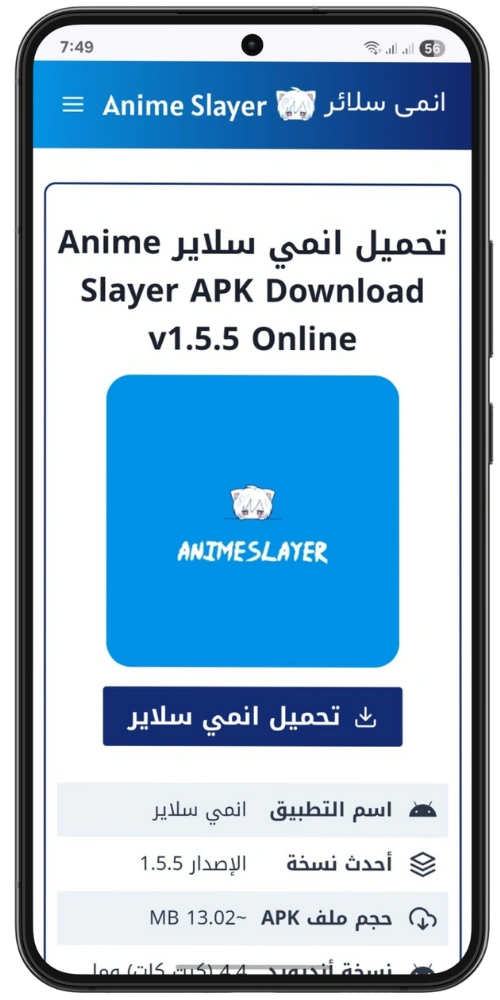
The only version fact available to this independent guide site is historical. The archived homepage of the old Anime Slayer site, captured on 27 February 2026, listed version 1.5.5 and stated that it required Android 4.4 or higher. That is an archived statement, not a current one. It describes what the archived page showed on that date, and it must not be treated as the current requirement today.
Why Older Devices Struggle in General
Older Android phones face a set of general limits that have nothing to do with one particular app. Understanding them helps you see why two phones of the same age can behave very differently, and why an app that works on one older phone may not work on another.
Storage is often the first limit. Older phones shipped with far less internal storage than modern phones, and after years of use much of that storage is taken by the system, by photos, and by other apps. An app that needs room to install, to store temporary files, and to cache images will struggle if only a few hundred megabytes are free. Low storage can cause slow installs, failed updates, and crashes that look like app bugs but are really storage problems.
Memory, or RAM, is the second limit. RAM is the short-term working space a phone uses while apps are running. Older phones typically have less RAM, and modern apps and web content expect more of it. When RAM runs low, Android closes background apps, reloads pages more often, and may stop a foreground app to free space. On a phone with limited RAM, that can feel like the app is slow, unresponsive, or unstable, even when the app itself is not at fault.
System components are the third limit. Many apps rely on parts of Android that are updated with the system, such as the component that displays web pages, known as WebView, and the media components that handle video playback. On an older phone that no longer receives system updates, those components can fall behind. A page that uses newer web features may not display correctly, and a video format that newer phones handle easily may stutter or fail on an older device. This is not a flaw in one app. It is a general consequence of running newer software on an older system.
What to Check on Your Own Device
Before you decide whether Anime Slayer is a good fit for your phone, check three things. You can do all of them in a few minutes, and they will tell you more than any general claim about older devices.
First, check your Android version. Go to Settings, then About phone, and look for the Android version. Note the number. A phone on a recent Android version is in a much stronger position than a phone on a version that stopped receiving updates years ago, even if the two phones are the same age. If you do not know how to find it, the About phone screen is the right place to start.
Second, check your free storage. Go to Settings, then Storage, and look at how much space is free. If you have less than one gigabyte free, free up space before you install or update any app. Delete files you no longer need, move photos to another place, or remove apps you do not use. An app cannot work well on a phone that has almost no free space, whatever the app is.
Third, check your RAM and your running apps. Older phones slow down when many apps are running at once. Close apps you are not using, and avoid running a heavy app in the background while you stream. If your phone feels slow in general, not only in one app, RAM pressure is a likely cause, and no single app setting will fix it.
Signs That an Older Device Is Coping, and Signs That It Is Not
Once the app is installed, watch how it behaves in normal use. A device that is coping will open the app in a reasonable time, load lists without long delays, show images correctly, and play video without constant buffering that cannot be explained by your connection. Occasional slowness is normal on any device, especially on a weak connection, and it is not by itself a sign that the phone is too old.
Ways to Improve Performance on an Older Phone
- Free up storage. Keep at least a gigabyte free if you can. Remove unused apps, delete old downloads, and move photos and videos elsewhere. Low storage slows everything down, not just one app.
- Close background apps. Before you open Anime Slayer, close apps you are not using. This frees RAM for the app in the foreground and reduces the chance that Android will close it to reclaim memory.
- Restart the phone regularly. A restart clears temporary system state and closes apps that have been running for days. On an older phone, a restart every few days can make a noticeable difference.
- Keep the system and the app updated. Install system updates and app updates when they are available. Updates often include performance fixes and compatibility improvements, and an outdated system is more likely to struggle.
- Clear the app cache when needed. If lists or images start to look stale or load slowly, clearing the cache can help. Do not clear it every day, and do not confuse it with clearing data, which removes settings and stored content.
- Use a stable connection. Older phones often have weaker Wi-Fi and mobile reception than newer models. Sit closer to your router when you stream, and avoid streaming on a weak mobile signal if you can.
When to Consider an Alternative
There comes a point where an older device is no longer worth the effort. If the app will not install, if it closes every time you open it, if video will not play even on a strong connection, or if the phone itself is so slow that every app struggles, it may be time to consider another option. That option could be a newer device, even a modest one, or a different way to watch on a larger screen, such as a television or a computer, where the app or a web version may run on more capable hardware.
A Note on Safety and Sources
This site is an independent, unofficial guide. It is not the official Anime Slayer site, and it is not a safe or trusted source for downloading the app. This article does not provide a download button or a direct link to an app file, and you should not treat any site that does so as official without verification.
Older Android devices can still be useful, and some will run Anime Slayer without serious trouble. Others will not, and the difference is usually explained by storage, memory, system age, and connection, rather than by a single rule about age. Check your Android version, your free storage, and your system updates, watch how the app behaves over several sessions, and judge the result honestly. The archived Android 4.4 figure from 27 February 2026 is a piece of history, not a promise about today, and your own device is the best test you have.