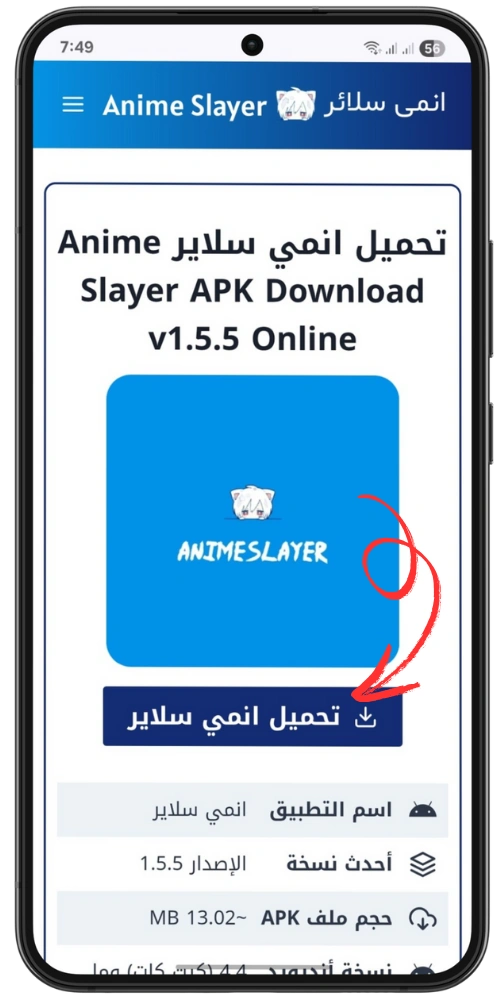
Risks of Downloading Anime Slayer From Untrusted Sources
Anime Slayer is often searched for through download links rather than through an official app store. That is exactly what makes those links risky. When an app is not available from a single, verifiable publisher, copies appear on many different websites, and there is no simple way to tell which copy, if any, matches the original. This article explains the risks of downloading Anime Slayer from untrusted sources in general terms. It does not name a safe download site, because this site does not distribute the app, and it does not claim that any particular link is safe or unsafe.
This is an independent, unofficial guide site. It is not the official Anime Slayer website, and it does not offer a download. The purpose of this article is to help you recognise the warning signs before you install a file, and to understand what can go wrong after you install one.
Why Untrusted Download Links Are a Special Risk
Most apps you use every day come from an official store. The store checks the publisher, links the app to an account, and provides updates from the same source. When you download an app file from a website instead, you lose those protections. You are trusting the website, the file it serves, and every advertisement and redirect on the page, all at once.
With a popular app, the risk is higher for a simple reason: popularity attracts copies. A search for a download link can return dozens of results, including websites that look similar, use similar names, or copy the design of a familiar page. Some of those pages may host an old version. Some may host a different app with the same name. Some may host a file that has been altered. From the outside, those files can look identical, because the file name, the icon, and the description can all be copied.
There is also an important fact to keep in mind. The current version of Anime Slayer is unverified. The only version fact that can be cited from an archived source is that v1.5.5 was listed on the archived homepage dated 27 February 2026. That is an archived listing, not a statement about the current version. Any website that claims to offer a newer version, a verified latest version, or an official current release should be treated with caution, because that claim cannot be checked against a verified official source in this guide.
Malware and Altered Apps
The most serious risk from an untrusted download is malware: software that does something you did not ask for. Malware in an altered app can take many forms, and it does not always announce itself. An app may still open, still show a list of series, and still play video, while also doing something else in the background.
Common problems associated with altered app files include:
- Hidden background activity. An altered app may run processes, show advertisements outside the app, or keep running after you close it.
- Data collection. An app may collect more information than it needs, including device details, location, contacts, or account information, and send it to an unknown server.
- Additional downloads. An altered app may download and install other files, or prompt you to install extra apps that you did not request.
- Fake updates. An app may show a false update notice that leads to another download, creating a cycle of new files from new sources.
- Broken or incomplete apps. Some copies are simply old, incomplete, or damaged, and they crash, fail to load, or show the wrong content.
This article does not claim that any particular download caused any particular incident.
Fake Apps and Lookalike Pages
A fake app is an app that uses the name, icon, or description of a popular app but is not that app. Fake apps are a common problem for popular titles, and they appear in several places: on download websites, in search results, in social media posts, and sometimes in unofficial app stores.
Lookalike pages are also common. A page may use a similar domain name, copy the layout of a familiar site, or use the same logo and colours. The page may still offer a download button, but the file behind that button is controlled by whoever runs the page. A familiar design does not prove that the file is genuine. Be wary of pages that promise a version no verified source lists, surround the download button with lookalike buttons, ask you to complete a survey or disable a security setting first, or give no publisher or contact details.
Warning signs that a page or file deserves extra caution include:
Any one of these signs does not prove that a file is harmful, but several together are a reason to stop. If a page feels rushed, crowded with advertisements, or unwilling to explain who publishes the file, the safest choice is to leave it.
Permission Abuse: What an App Can Ask For
When you install an app, it may ask for permissions: access to storage, contacts, location, the camera, the microphone, or the ability to run in the background. A video app normally needs storage, so it can save downloads, and network access, so it can stream video. It does not normally need your contacts, your text messages, your call history, or access to your device administrator settings.
Before you install any app file from outside an official store, read the permission list carefully. If the list includes access to contacts, messages, calls, location, or device administration, and the app is only supposed to play video, that is a reason to stop. After installation, check the permissions in your device settings and remove any that are not needed. On Android, you can usually do this from Settings, then Apps, then the app name, then Permissions. Remove access you do not recognise, and pay attention to permissions that are set to allow all the time rather than only while using the app.
Be especially careful if an app asks you to enable installation from unknown sources and then leave that setting enabled. That setting allows other files to be installed as well. If you change it, change it back as soon as you have finished, or leave it off and use official stores instead.
Account and Privacy Risks
Some altered apps ask you to create an account, sign in with an existing account, or enter an email address and password. That is a risk in itself. If you enter the password you use for email or another service into an app you cannot verify, that password may be collected and reused elsewhere.
Never enter a password you use elsewhere into an unverified app. Never sign in with a Google, Facebook, or Apple account through a screen inside an app file you downloaded from an unknown website, unless you can verify the publisher and the sign-in page. If an app asks for payment details, card information, or a one-time code, stop and leave the app. A video app should not need those details to play a series.
How to Reduce the Risk
You cannot make an untrusted download safe by being careful alone, because the file itself cannot be verified from the outside. You can reduce the risk by changing the decision that leads to the download: prefer official stores and check the publisher name; read the permissions first and stop if the app asks for access it does not need; do not disable security settings permanently; never reuse a password from email or another important account in an unverified app; keep your device updated; and uninstall quickly if you notice unusual advertisements, new apps, battery drain, or unexpected data use after an install. For a fuller checklist, read the core source-safety page linked below.
Final Note
The risk is not that every link is harmful. It is that you cannot tell, before installing, which link is an old copy, which is a fake, and which has been altered. Until a verified official source is available, avoid download links from unknown websites, use lawful streaming services while the app is unavailable, and treat any file that asks for unusual permissions, an account password, or payment details as a reason to stop.