How to Identify the Original Anime Slayer App
Anime Slayer is a popular name in the world of anime apps, and that popularity has a downside. Wherever a well-known app exists, copies, clones and lookalike apps tend to appear. Some are harmless imitations with fewer features. Others are designed to mislead people into installing something they did not expect, showing aggressive advertising, or asking for permissions that have nothing to do with watching anime. Learning how to tell the original app apart from a fake copy is therefore a basic safety skill, not an optional extra.
This guide explains the checks you can make before you install anything. It does not point you to a download, and it does not claim that any particular source is safe. This website is an independent, unofficial guide. It is not the official Anime Slayer website, and it is not connected to the app developer. The aim here is to help you ask the right questions, compare what you find against reliable information, and walk away when something does not add up.
Start with the name and the developer
The first check is the most basic, and the easiest to get wrong when you are in a hurry. Read the full app name, letter by letter, and read the developer name shown with it. Fake copies often use a name that is almost right: an extra word, a missing letter, a different spelling, or a word such as Pro, Plus, HD or Official added to make the copy look better than the original.
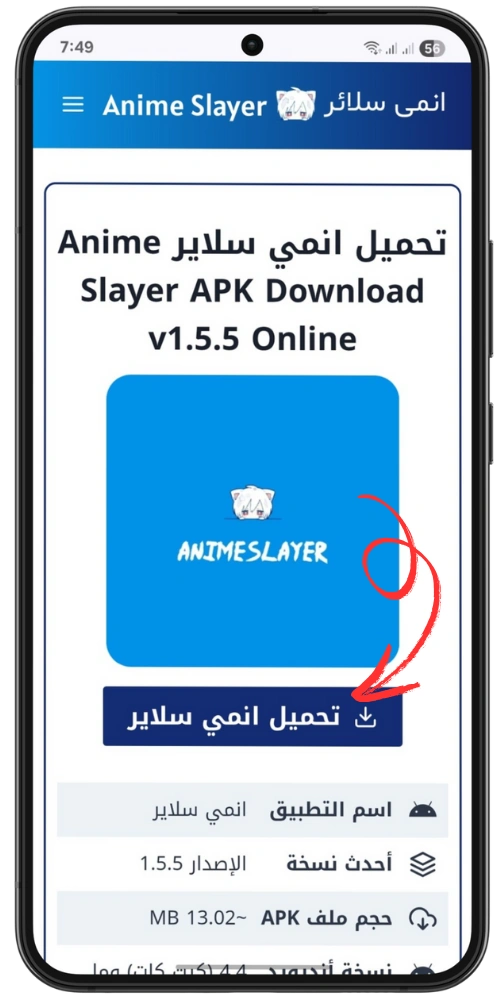
According to an archived copy of the old Anime Slayer homepage, dated 27 February 2026, the app was listed there as version 1.5.5, with App-Mo shown as the developer. That information comes from an archive, not from a current official listing, so treat it as a historical reference point rather than proof about any file you find today. If a listing today shows a completely different developer name, a different version pattern, or claims to be a brand-new official release with no history behind it, treat that as a reason to stop and investigate further.
Also be careful with the word official. Many copycat listings use the word official in their title or description, but the word alone proves nothing. Anyone can type it. What matters is whether the name, developer and history are consistent across independent sources, and whether the listing behaves like a genuine product page, with a proper description, a privacy policy and a way to contact the developer.
Compare the icon, screenshots and description
Next, look closely at the icon and the screenshots. The original app has a consistent visual identity. A listing that uses a blurred, stretched or low-quality version of the icon, or an icon that looks noticeably different from the one shown on other pages about the app, deserves a second look. The same applies to screenshots: genuine listings usually show real screens from the app, with consistent menus, fonts and layout. A fake listing may use stock images, screenshots taken from a different app, or images that show features the app is not known to have.
Read the description as well. A genuine description is usually written in clear language and explains what the app does, what it does not do, and what permissions it needs. A fake description is often short, vague, full of spelling mistakes, or stuffed with repeated keywords. It may promise things that sound too good to be true, such as every episode of every series in perfect quality with no problems at all. Real apps have limits, and honest descriptions admit them.
Be careful where you get the app
Where you find an app matters as much as what the app claims to be. Anime Slayer is not distributed through Google Play, which is covered in a separate guide on this site. That means you will not find a simple official store listing to rely on, and you will need to be more careful than usual about the source of any file.
As a general rule, avoid random download pages, shortened links shared on social media, and websites that push you to download through pop-ups or countdown timers. Avoid any page that asks you to install a second app first, disable security settings, or grant unusual permissions before you can proceed. A trustworthy source does not need to rush you or hide what it is doing. If a page is full of misleading download buttons, where several buttons say download but lead to different places, leave the page.
This guide does not provide a download link, and no download link on this site should be treated as a recommendation. If you decide to obtain the app from any source, you are responsible for checking that source yourself, and you should understand that installing apps from outside an official store carries extra risk.
Review the permissions before you install
Before installing any app, read the permissions it requests. An anime streaming app may reasonably need network access and storage access, for example to save data or cache content. It does not normally need access to your contacts, your call history, your messages, or the ability to change system settings. If a listing asks for permissions that have no clear connection to watching anime, that is a strong warning sign.
On Android, you can also review permissions after installation and remove any that are not needed. Doing this check before you open the app for the first time is good practice. If an app refuses to work unless you grant an unrelated permission, consider removing it. A genuine app should still offer its basic features without access to unrelated parts of your phone.
A simple checklist you can use every time
Use this short checklist whenever you come across an Anime Slayer download, and do not skip a step because the listing looks convincing:
| Check | What to look for | Warning sign |
|---|---|---|
| App name | Exact spelling, no added words like Official or Pro | Misspelling, extra words, or a different name |
| Developer | A consistent developer name across sources | A different or unknown developer |
| Version | A version history that makes sense over time | A sudden jump, or no history at all |
| Icon and screenshots | Clear, consistent images from the real app | Blurred, mismatched or stock images |
| Description | Clear language and realistic claims | Vague text, errors, or impossible promises |
| Permissions | Only permissions related to streaming | Access to contacts, messages or settings |
| Source | A calm, transparent page with contact details | Pop-ups, countdowns and misleading buttons |
One warning sign on its own may have an innocent explanation. Two or three together should be enough to stop. There is no rush to install an app, and waiting a day to check a source properly costs nothing.
What to do if you installed a fake copy
If you think you have installed a fake version, act quickly and calmly. First, uninstall the app from your device settings, not only from the home screen, so that it is fully removed. Then check your list of installed apps for anything you do not recognise, and remove anything that appeared around the same time. Next, review the permissions granted to your remaining apps, and change any passwords you entered while the suspicious app was installed, starting with your email account.
If the app asked for payment details, check your bank statements and contact your bank if you see anything unfamiliar. If you are unsure whether your device is clean, a factory reset is a last resort, but only after you have backed up your photos, contacts and other important data. For most people, removing the app and changing affected passwords is enough, but do not ignore the warning signs and keep using an app you do not trust.
Final thoughts
Identifying the original Anime Slayer app is less about finding one magic detail and more about building a habit. Check the name and developer, compare the listing with what you already know, read the permissions, and trust a calm source over a pushy one. Remember that the archived version 1.5.5 from 27 February 2026 is a historical reference, not a guarantee about anything available today, and that the current version is unverified. Remember also that this site is an independent guide, not an official source, and that no page here can certify an APK file as safe.