
Anime Slayer is an Android app, and it cannot be installed on an iPhone. An Android APK file is built for Android, and iOS does not run Android apps. This guide explains the difference between APK and IPA files, why no iOS version exists in the sense iPhone users hope for, what the web version offers instead, and which lawful alternatives are worth considering.
This site is independent and unofficial. It is not the developer’s site and it is not an official download source for the app. The current version of Anime Slayer is not verified here, so check the download source before you install or use anything. The only version fact recorded on this site is that v1.5.5 was the version shown on the archived homepage of the old site animeslayerapk.me on 27 February 2026. That is a historical, archived detail and it is not verified as the current version.
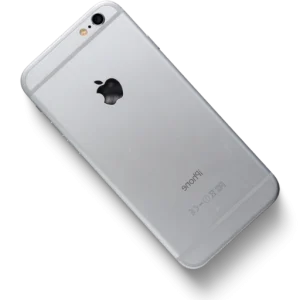
iPhone & iOS Compatibility Note
This platform visual references iOS inquiries; however, Android APK packages do not run natively on iPhone or iPad, and no verified official IPA release exists. Rely strictly on App Store alternatives covered below.
APK vs IPA: why the file formats matter
Android apps are distributed as APK files. An APK is a package containing the app’s code, resources, and manifest, written for the Android operating system. When you install an APK on an Android phone, the system knows how to read that package, check its signature, and run its code.
iPhone apps are distributed as IPA files, or through the App Store as App Store packages. An IPA is a package built for iOS, using Apple’s frameworks and signing system. iOS only installs apps that match its own format and signing rules.
These are two different operating systems with two different app formats. An APK is not a file that iOS can open, read, or install, and an IPA is not a file that Android can install either. The code inside is written for a different system, different libraries, and different hardware interfaces. The honest answer for iPhone users is plain. There is no APK file for iOS, and there is no legitimate way to install an Android APK on an iPhone.
There is no iOS APK file
Some websites claim to offer an “Anime Slayer iOS APK”, an “Anime Slayer IPA download”, or a one-tap iPhone install. Those claims do not describe a real product. An APK is an Android format by definition, so the phrase “iOS APK” is a contradiction. A genuine IPA, if one existed, would be a different file entirely, signed and distributed under Apple’s rules.
No iOS version of Anime Slayer is verified on this site. No IPA file is offered here, and no download link for one is provided. If a third-party site offers such a file, treat it with serious caution: it is either mislabelled, modified, or an outright fake. The same applies to websites that promise to install the app through a configuration profile or a “free iOS installer” tool. Do not install profiles from unknown sources for an app you cannot verify.
What about jailbreaking?
Jailbreaking removes Apple’s restrictions on an iPhone and allows software that Apple has not approved. It is not a recommended route for Anime Slayer. First, jailbreaking does not make Android apps run on iOS. It changes what iOS allows, but it does not turn an iPhone into an Android device. An APK still cannot be installed on a jailbroken iPhone in any normal sense.
Second, jailbreaking weakens the security of the device. It disables protections that Apple builds into iOS, makes the phone more vulnerable to malware, and can cause instability, battery problems, and failed updates. Third, a jailbroken phone is harder to keep safe, and a mistake during the process can leave the phone unusable until it is restored. For an app you can already use through the web version or on an Android device, that trade-off is not worth it.
The web version option
For iPhone users, the most practical way to use Anime Slayer is the web version, where available. A web version runs in the browser on your iPhone, so there is nothing to install and no APK or IPA file involved. You open it in Safari or another browser and browse and watch from there.
Using the web version has real advantages on iOS. It does not require changing your phone’s security settings, it does not risk installing a fake file, and it works on any iPhone with a modern browser. You can also add the site to your home screen from Safari.
There are limits to be aware of. A web version may not offer every feature of the Android app, and its layout is designed for a browser rather than a native app. Video playback depends on your browser and connection, and some features, such as offline downloads, may not be available. Even so, for most iPhone users it is the safest and simplest option, and it is the one this site recommends first. See the web version guide on this site for details.
Lawful alternatives for iPhone users
If the web version does not meet your needs, there are lawful alternatives that work properly on iOS. These are apps and services available in the App Store, built for the iPhone. They are not the same app as Anime Slayer, but they serve a similar purpose: watching anime on your phone.
When choosing an alternative, look for one that is listed in the official App Store under the name of a known company, with recent updates, clear pricing, and honest reviews. A legitimate service will tell you what it costs and what it includes. It will not ask you to install a profile, disable security settings, or download a file from outside the App Store. Free services usually include advertising or a limited catalogue, while paid subscriptions usually remove ads and add features such as offline viewing. Compare a few options before committing to one, and check whether the titles you want are available in your country, since catalogues vary by region.
What to avoid
The search results for iPhone versions of Android apps attract a large number of misleading sites. Knowing the common patterns helps you avoid them. Avoid sites offering an “iOS APK”, free iOS installer tools, human verification loops, paid “iOS version” downloads, configuration profiles from unknown sources, and modified or cracked IPA files.
- “iOS APK” download buttons. There is no such file. A button with this label is either a fake or a link to something unrelated.
- “Free iOS installer” tools. Tools that claim to install any Android app on an iPhone are not doing what they claim. At worst they install a profile or a modified app that puts your device at risk.
- Human verification loops. Sites that ask you to complete surveys, install other apps, or enter personal details before revealing a download link are not providing a real file.
- Paid “iOS version” offers. Paying for an iOS version of an Android-only app is paying for something that does not exist in the form advertised.
- Configuration profiles from unknown sites. A profile can change your phone’s settings in ways that are hard to undo. Only install profiles from organisations you trust, and never install one to obtain an app.
- Modified or “cracked” IPA files. Even if a file with this name is offered, it is not a verified release from the developer.
If a site makes a claim that contradicts this guide, ask yourself what the site gains from the claim. A site that profits from clicks, surveys, or paid installs has an incentive to promise an iPhone version whether or not one exists.
Summary for iPhone users
Anime Slayer is an Android app. An APK cannot be installed on an iPhone, there is no iOS APK file, and no fake install method changes that. The web version is the practical way to use the service on an iPhone, and lawful App Store alternatives exist for users who want a native app. Avoid sites that promise an iOS APK or a paid iOS version, and never install a configuration profile from an unknown source to obtain an app.
This site is independent and unofficial, and it does not host the app or provide an iOS download. The current version is not verified; the v1.5.5 detail in this guide comes from an archived homepage dated 27 February 2026 and is historical only.